# Register Kids Buddy

{% hint style="info" %} <mark style="color:blue;">**Please Note:**</mark>&#x20;

1. Locate the IMEI code behind your watch
2. Have your sim card phone number ready and activated
   {% endhint %}

## Step by Step Instructions

### Step 1

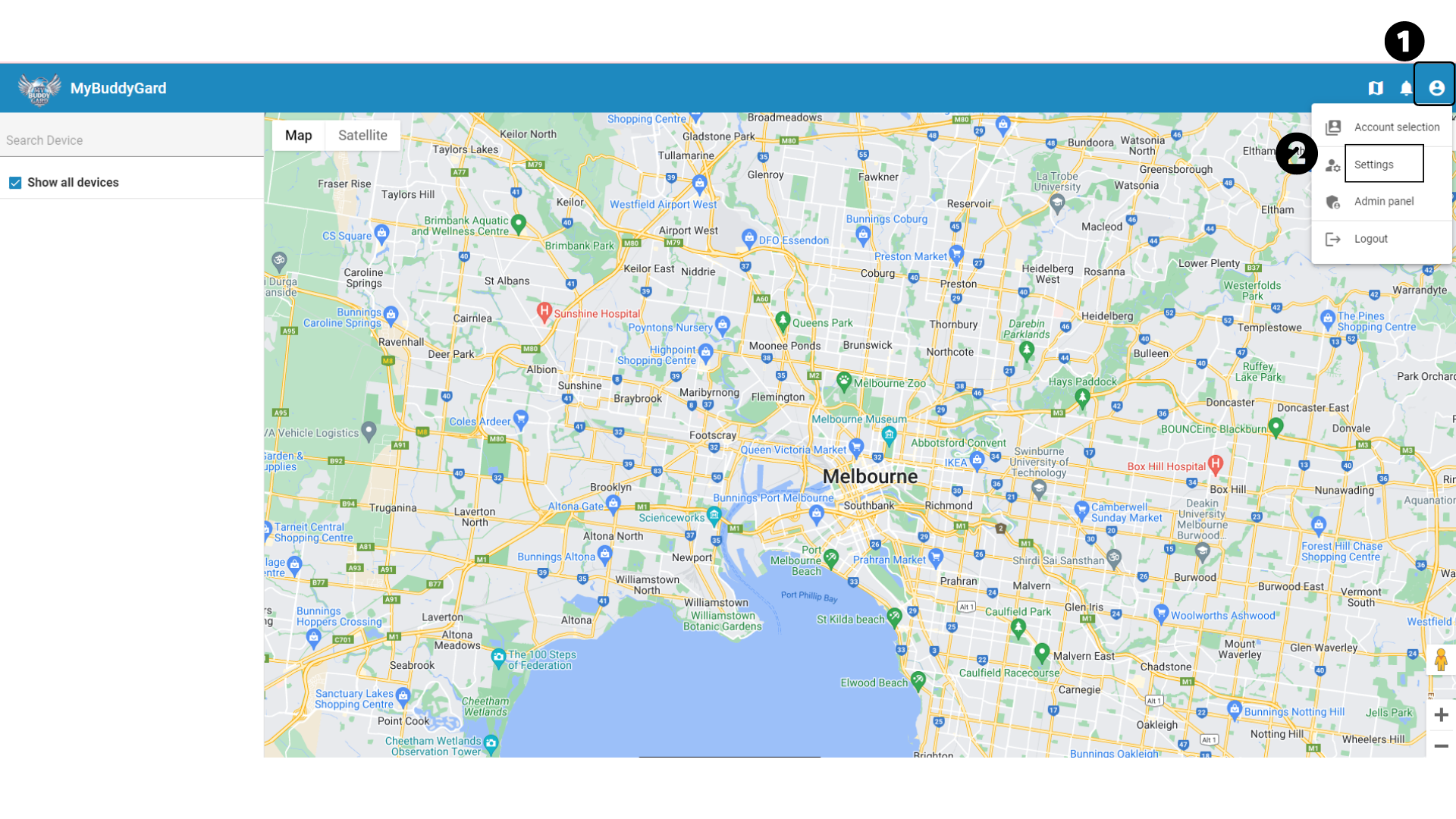
Click on the profile icon in the upper left of the screen then click on SETTINGS.

<figure><img src="https://4050973655-files.gitbook.io/~/files/v0/b/gitbook-x-prod.appspot.com/o/spaces%2FaABgTnMVbBWecnajfa8x%2Fuploads%2F6XdYRidm6sYo1DpdIz3C%2Fadult-buddy-trackmap-register-1.png?alt=media&#x26;token=d15be94b-3d4b-4240-adb8-590493201734" alt=""><figcaption></figcaption></figure>

{% hint style="info" %} <mark style="color:blue;">**Please Note:**</mark> Make sure your Buddy Tracker is turned on and has mobile or WiFi reception
{% endhint %}

### Step 2

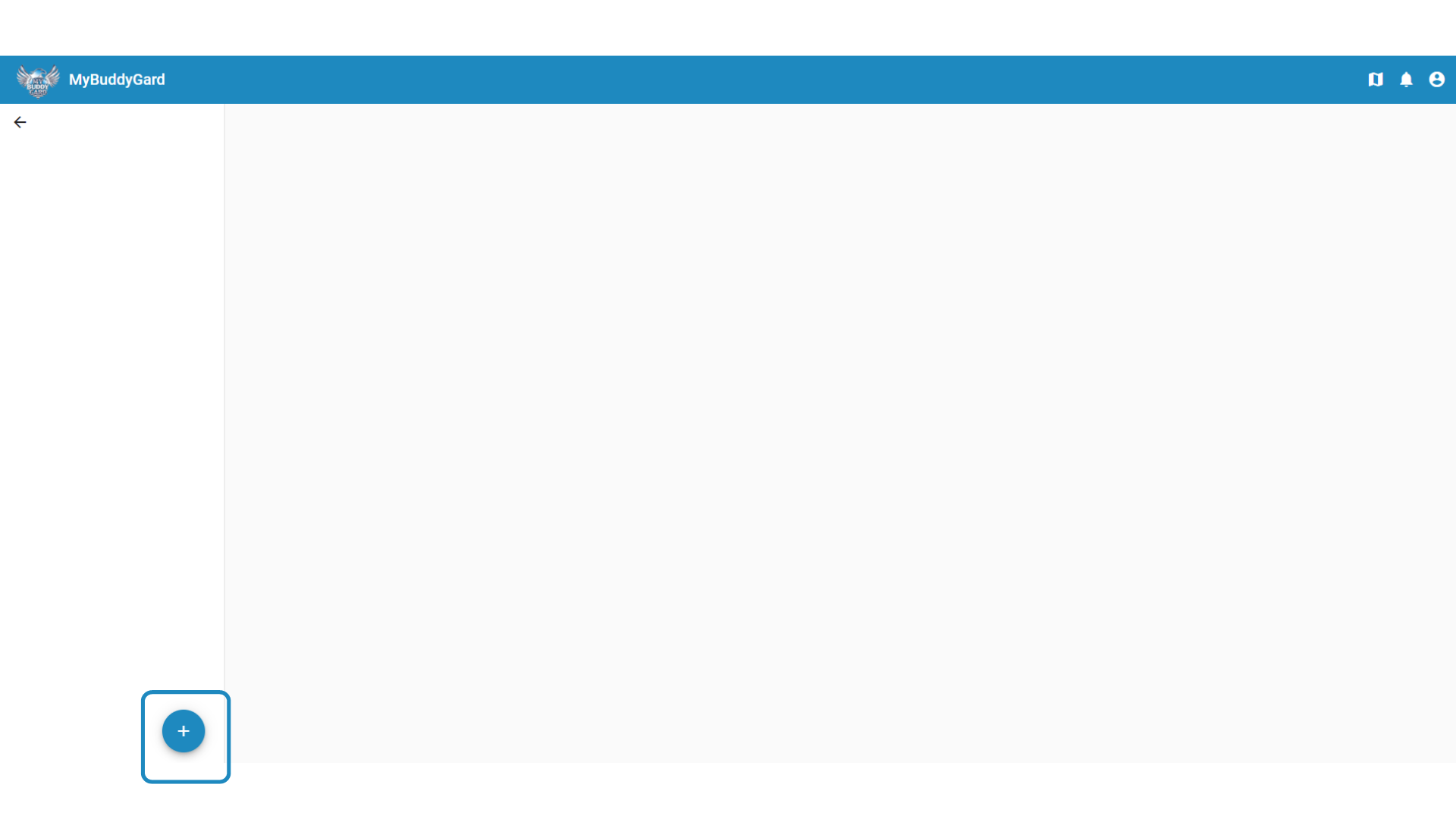
You will then arrive on this page, now click on DEVICES.

<figure><img src="https://4050973655-files.gitbook.io/~/files/v0/b/gitbook-x-prod.appspot.com/o/spaces%2FaABgTnMVbBWecnajfa8x%2Fuploads%2FfBrVeVKkVqQXhuB0QN35%2Fadult-buddy-trackmap-register-2.png?alt=media&#x26;token=ecd8541d-f755-40b1-bbdf-551a272bbc45" alt=""><figcaption></figcaption></figure>

### **Step 3**

After clicking DEVICES, you will see a + icon, click on it.

<figure><img src="https://4050973655-files.gitbook.io/~/files/v0/b/gitbook-x-prod.appspot.com/o/spaces%2FaABgTnMVbBWecnajfa8x%2Fuploads%2FYXbc3Y4mCKffK2PwP9ML%2Fadult-buddy-trackmap-register-3.png?alt=media&#x26;token=abbc5e6e-bd6f-49bc-988f-da69b1434ebe" alt=""><figcaption></figcaption></figure>

### Step 4

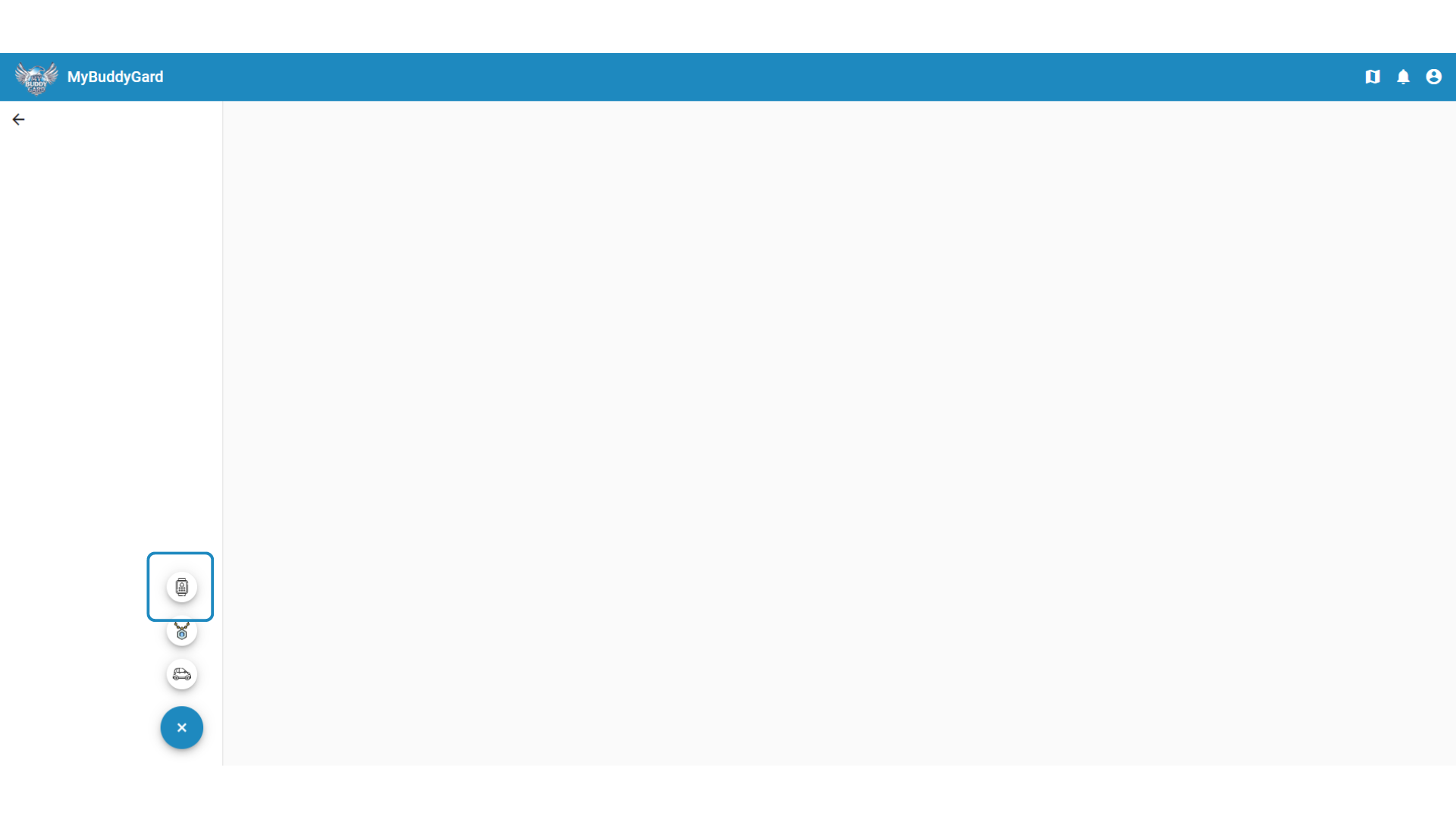
After clicking the + icon, there will be more icons. Select the WATCH icon as shown in the image below.

<figure><img src="https://4050973655-files.gitbook.io/~/files/v0/b/gitbook-x-prod.appspot.com/o/spaces%2FaABgTnMVbBWecnajfa8x%2Fuploads%2FOlnaoGB2vos4wHrrtj2A%2Fadult-buddy-trackmap-register-4.png?alt=media&#x26;token=802b98e3-76d9-4e73-9214-525aadbf8f0d" alt=""><figcaption></figcaption></figure>

### Step 5

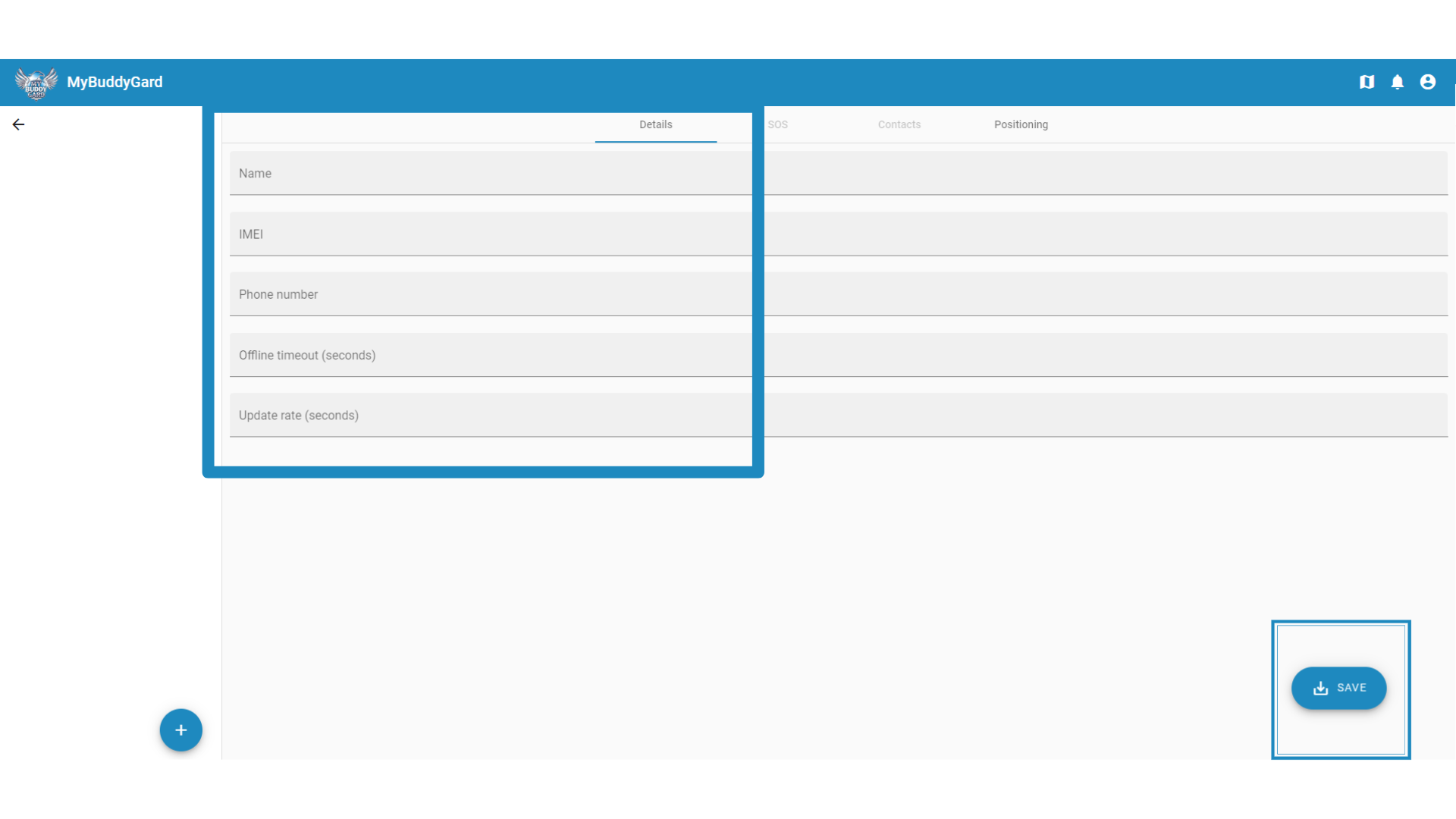
After clicking the watch icon you will see the details page where you can enter the details of your device. Enter all necessary details then click on save.

> 1. Name - Any name that you want to name your device.
> 2. IMEI - Number from the barcode at the back of your watch.
> 3. Phone number - phone number of your sim card that you will use in your watch.
> 4. Offline timeout - offline timeout in seconds. Recommended is 0.
> 5. Update rate - update rate in seconds. Recommended is 600.

<figure><img src="https://4050973655-files.gitbook.io/~/files/v0/b/gitbook-x-prod.appspot.com/o/spaces%2FaABgTnMVbBWecnajfa8x%2Fuploads%2FTlvc0SQ6EQh0YPgK5b8W%2Fadult-buddy-trackmap-register-5.png?alt=media&#x26;token=29f840c1-fb64-4285-b15b-23f66f34dd5b" alt=""><figcaption></figcaption></figure>

### Step 6

After clicking on save, you will see the new device added to your account.

<div align="center"><figure><img src="https://4050973655-files.gitbook.io/~/files/v0/b/gitbook-x-prod.appspot.com/o/spaces%2FaABgTnMVbBWecnajfa8x%2Fuploads%2FhFm5vLegOs2HOC9y6oSr%2Fkids-buddy-trackmap-register-6.png?alt=media&#x26;token=6424096f-f7a1-46ac-bad0-a93ba286617a" alt=""><figcaption></figcaption></figure></div>

### **Done** ✅&#x20;

Your device has now been successfully registered to My Buddy Gard Track Map